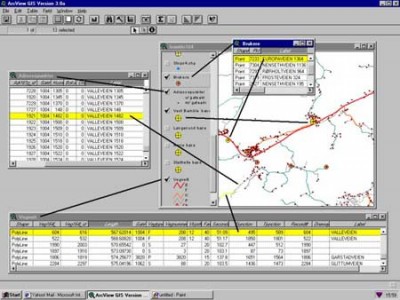
 The ArcView Network Analyst (AVNA is extension module for ArcView GIS. This tutorial was developed by Jan Husdal at the University of Utah, Salt Lake City, 2000-2002. It shows how to solve 3 categories of network analysis problems; Find Best Route, Find Closest Facility and Find Service Area, and it comes complete with exercise data for download and a solution. Mind you, this is a tutorial for ArcView, not for ArcGIS.
Arcview Network Analyst
The ArcView Network Analyst (AVNA) extension module allows the user to solve 3 categories of network analysis problems; Find Best Route, Find Closest Facility and Find Service Area. Find Best Route problems involve finding the “least cost impedance” path on the network between two or more stops. Find Closest Facility pertains to finding the distances from an event to the nearest facilities, or vice versa, finding the distance from a facility to one or more events. Find Service Area determines the area that a particular facility can serve within a given time or cost frame.
Link
- The Tutorial: ArcView Network Analyst